
How to prepare your phone or laptop before an emergency
By ClearOutpost team · · 5 min read
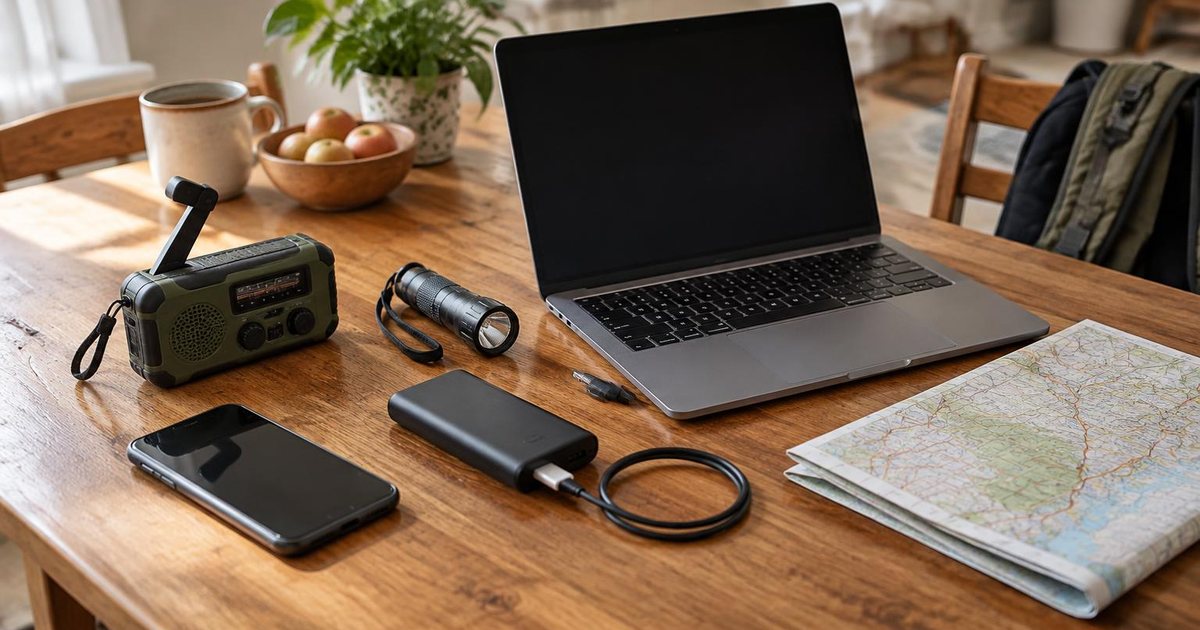
When the power goes out or cell towers get busy, the device in your pocket becomes your map, contact list, news source and flashlight all at once. Most of that only works if you set it up before you need it. These steps take about ten minutes and work on any phone, tablet or laptop.
1. Turn on emergency alerts
Wireless Emergency Alerts are the official warnings sent to phones in an affected area. They're on by default on most phones, but they're easy to switch off by accident. Check them now:
- iPhone: Settings → Notifications, then scroll to the bottom to Government Alerts. Keep Emergency Alerts and Public Safety Alerts on.
- Android: Settings → Safety & emergency → Wireless emergency alerts (the name varies by phone maker). Keep Extreme and Severe threats on.
- On iPhone, also turn on Always Deliver under Emergency Alerts so warnings sound even when your phone is on silent or in a Focus mode.
Official phone alerts cover where you are right now. They don't tell you about a fire near your parents' house or your kid's school. That's what saved places in ClearOutpost are for.
2. Save what you need offline
During a disaster, mobile data is often slow or gone. Anything you'll need should already be on your device:
- Maps of home, work, school and the route out of town.
- Your family plan: who to call, where to meet and an out-of-area contact.
- Key phone numbers, also written on paper in your wallet or go-bag.
- Guides you might need, like water treatment, first aid or generator safety.
On a phone, add ClearOutpost to your home screen (Share → Add to Home Screen on iPhone, or Install app on Android and laptops). It then opens like an app, even with no signal, and keeps your plan, maps and guides saved on your device.
3. Make your battery last
- Keep a charged power bank and a car charger with the right cable. Recharge the power bank every few months.
- Turn on Low Power Mode (iPhone) or Battery Saver (Android) as soon as the power goes out, not when you hit 10%.
- Turn the screen brightness down and close apps you don't need.
- When there's no signal at all, a phone burns battery searching for one. Airplane mode stops that; switch it off every so often to check for messages.
A laptop is a big battery. Most can charge a phone over USB, and many keep charging it while the laptop is asleep.
4. Plan for when calls won't connect
After a big event, voice calls often fail while short text messages still get through. Agree on a few things with your household now:
- Text first, keep calls short, and leave lines open for 911.
- Pick one out-of-area contact everyone checks in with. Long-distance calls can be easier to complete than local ones.
- Choose a meeting point near home and one outside your neighborhood.
ClearOutpost's household check-in lets everyone send “I'm safe” or “Need help” in one tap, and the family plan keeps your contacts and meeting point on every device.
5. Keep a weather radio as your backup
Phones need a charged battery and working towers. A battery or hand-crank NOAA Weather Radio needs neither. The National Weather Service broadcasts forecasts and warnings around the clock on seven frequencies between 162.400 and 162.550 MHz, covering most of the United States.
- Look for a radio labeled for NOAA Weather Radio with a weather alert mode, so it sounds an alarm on its own when a warning is sent.
- A radio with SAME (Specific Area Message Encoding) lets you enter your county code and only alarms for warnings that cover you.
- Hand-crank and solar models keep working through a long outage. Pack spare batteries for the rest.
- Find your local transmitter and county code on the National Weather Service NOAA Weather Radio page, then test the radio once so you know how it sounds.
For tech-minded households: a USB software-defined radio (SDR) dongle with free desktop software can tune NOAA broadcasts on a laptop. It takes setup and practice, so treat it as an extra, not a replacement for a simple weather radio.
What still works without internet
Being ready offline means having things saved before the connection drops. No website or app can replace a live connection, so here is honestly what changes when it's gone:
| Your tools | With internet | Without internet |
|---|---|---|
| Fresh official alerts | Updated automatically | Only what was already received. Rely on phone emergency alerts and a weather radio. |
| Maps around your places | View and save any area | Areas you downloaded ahead of time |
| Plans, contacts, guides and manuals | Create, open and save | Everything saved on this device |
| Online radio streams | Play available streams | Not available. Use a battery weather radio. |
| Household check-ins | Signed-in household members | Not available. Use text messages or a compatible off-grid radio. |
| Ask AI about your guides | Online AI after free sign-in | Only with a compatible on-device model |
Official phone alerts travel over the cell network, not the internet, so they can still arrive when mobile data is down. They stop if the local towers lose power.
6. Back up and protect your data
Browsers can clear saved website data when a device runs low on space. ClearOutpost asks your browser to keep it, and you can save a backup file of your plan, contacts and places to a second device or a USB drive.
If you'd like your plan on more than one device, optional sign-in keeps them in sync. You never need an account to use the app.
Your 10-minute device checklist
- Emergency alerts are on and set to sound even on silent.
- ClearOutpost is on your home screen, with Near me and your saved places set.
- Maps for your places are saved for offline use.
- Your family plan, contacts and meeting point are filled in.
- A power bank is charged and packed with a cable.
- A battery or hand-crank NOAA weather radio is packed and tested.
- A backup of your plan is saved somewhere other than this device.
- Important numbers are written down on paper.
Official sources
Always follow instructions from local officials. ClearOutpost is not a replacement for 911.